🎉 Calla - Delivery & Pickup Date is available now on Shopify app store

Shopify app store


Shopify does not have a native "same-day blackout" setting. To prevent same-day orders, use a delivery scheduling app. It can set cut-off times, add minimum prep time, and limit how many orders you accept each day. This ensures your checkout calendar automatically hides the "today" option once your daily limit or time threshold is met.
The short answer: Not natively. The truth is, Shopify’s standard settings are a bit limited here. You can switch local delivery on or off, but the system doesn't see the "human" side of your work. For example, you might need to stop taking orders at noon just to get them out the door by 5:00 PM.
It’s 2:00 PM on a Friday. Your team is exhausted, your delivery driver just pulled away, and you finally sit down to breathe. Then, the "cha-ching" sounds. A new Shopify order. Same-day delivery. Your heart sinks because you know you can't fulfill it. Instead of growing your business, you spend your afternoon saying sorry to upset customers and refund. This isn't business growth—it’s burnout.
We talk a lot about "hustle," but sometimes the hustle leads to mistakes. When same-day orders pile up, the small details like a handwritten note or a perfect ribbon are the first things you forget.
We’ve been there during the holidays. YYou want to help customers during busy holidays like Christmas or Valentine’s Day. But when 30 same-day orders arrive at 2 PM, your team can quickly become overloaded. Mistakes happen, items get swapped, and suddenly, your "hero" moment turns into a series of apology emails.
It’s hard to explain to a customer that a delivery isn't just a car ride—it’s a route, a schedule, and a person's time. When same-day orders have no limits, drivers may face heavy traffic, long routes, and extra stops. This can be unsafe, unfair, and hard to manage. Setting a window for delivery is a way to respect everyone involved in the journey.
Not every product is created equal. A pre-packaged candle is ready to go; a custom floral arrangement or a fresh-baked cake is not.
- The Fix: Assign specific lead times (e.g., 4 hours or 1 business day) to high-effort products. This ensures that when a customer checks out, the calendar automatically "hides" the dates you physically cannot hit.
- The Benefit: If you make things by hand, time is your most valuable ingredient. Setting a "lead time" (like 24 or 48 hours) ensures you never have to rush a product that needs time to be perfect.
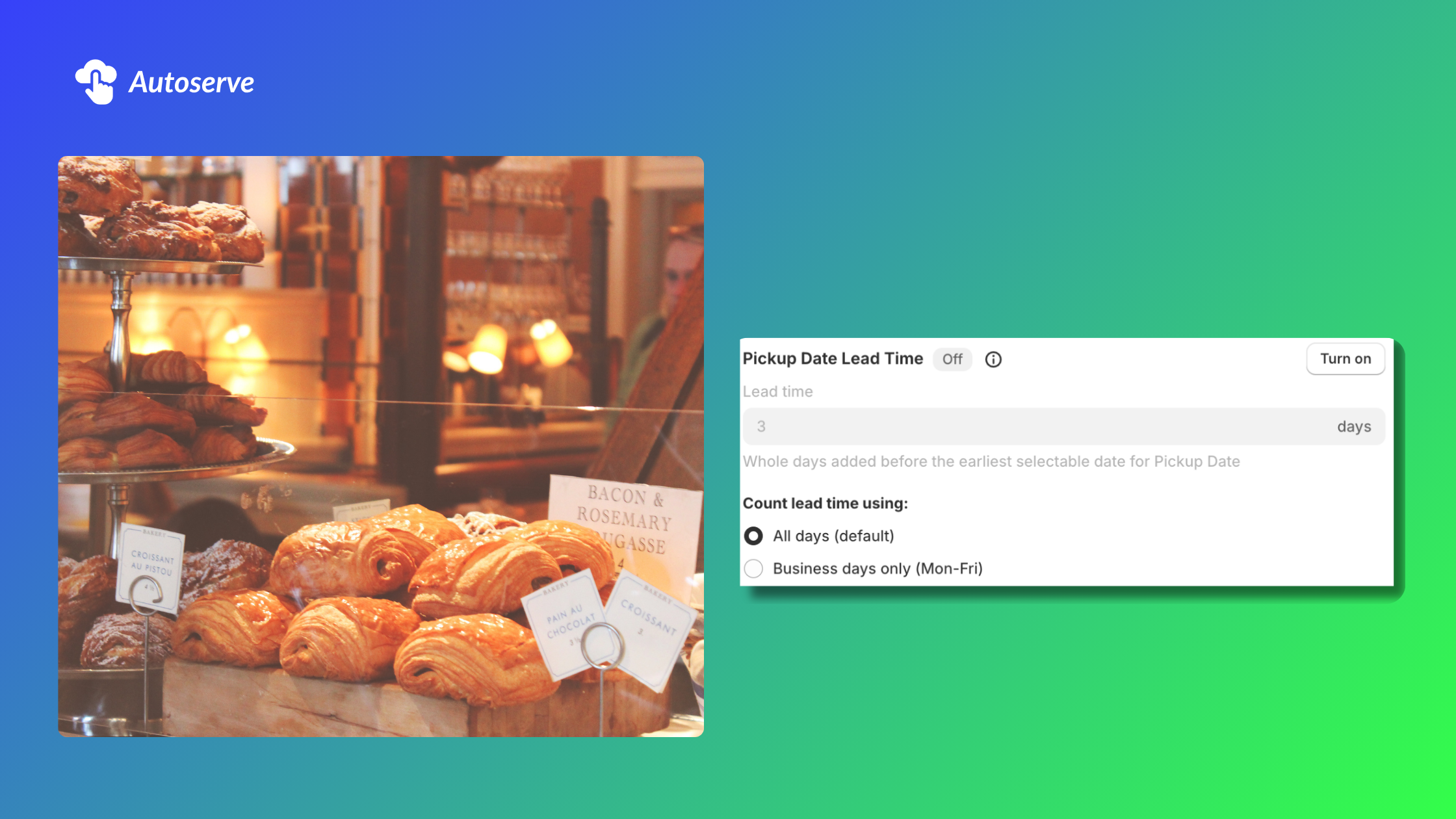
Quick Lead Time Checklist:
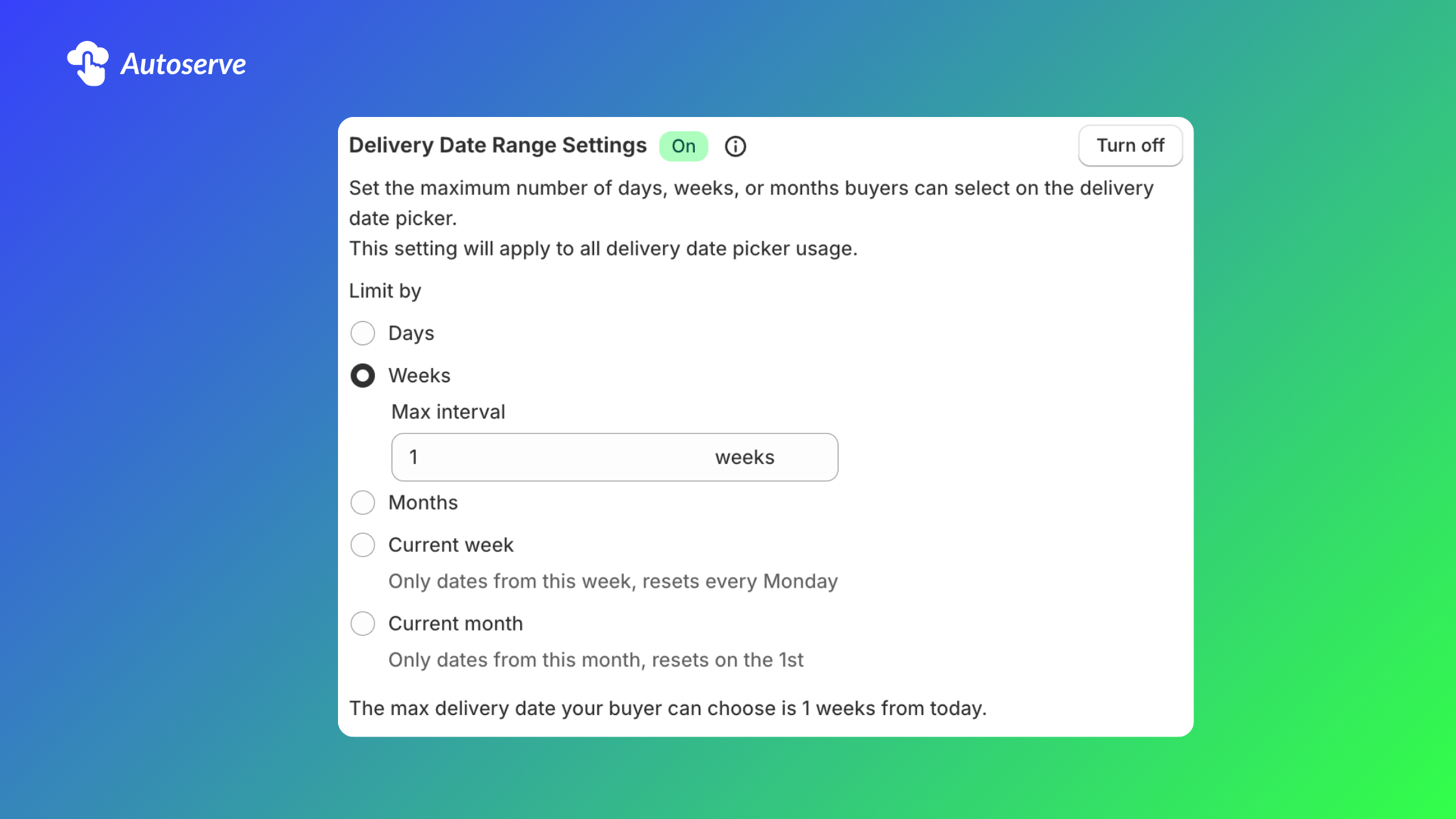
We all have a "limit." Maybe it’s 20 orders, or maybe it’s 200. Whatever yours is, it’s okay to reach it. By capping orders per time slot, you ensure that the 20th customer gets the same great experience as the 1st.
- How to implement: Use delivery or order‑management tools to block slots once the cap is reached. Mark slots as “full” so customers can only choose available times.
- Pro Tip: Display clear messaging at checkout about limited same‑day availability. Show remaining spots per slot (e.g., “3 slots left at 10–12AM”) to reduce last‑minute calls.
Flowers wilt quickly and need careful handling. Set a low per-slot cap if arrangements require special packing or refrigeration.
- Strategy: Limit morning rush slots to 8–12 orders and midday to 6–10 if you have one packer and two drivers.
- Adjustment: Track actual fulfillment time for a week, then lower or raise caps based on how long packing and handoffs really take. Adjust caps down on high-temperature days.
Fresh food and perishable goods need tight timing and fast turnover. Calculate capacity from real tasks: packing time per order, number of packers, driver routes, and fridge space.
- Strategy: If one packer can handle 15 chilled boxes per hour and you run two packers, cap that slot near 25–28 to allow wiggle room.
- Optimization: Prefer shorter time windows (60–90 minutes) for same‑day deliveries. Label slots with prep cutoffs (e.g., “Order by 1PM for delivery by 4PM”) and automate cutoffs in Shopify.
Large items like sofas and tables take up huge space. Without limits, you might accept more orders than your truck can actually fit.
- The Strategy: Set limits based on "truck space." If your team can only deliver 6 large items a day, set your daily cap to 6. Once that limit is hit, the date blocks out automatically.
- The "Prep Buffer": Furniture often needs a final polish or assembly. Set a 2-day lead time for big pieces. This tells the customer you need time to make sure their item is perfect.
- The Adjustment: "White Glove" setups take longer than simple drop-offs. If a day has many setups, lower your order cap so your team doesn't have to rush or work late.
Can Shopify prevent same-day orders? Yes. Use a specialized scheduling app that supports a daily cut-off time or same-day blackout to stop orders after a set hour. Configure the system to allow only orders placed before your chosen time (for example, 11:40 AM).
How do I stop too many Shopify delivery orders on one day? Control your daily deliveries by closing off certain time slots. You can set a limit that blocks off dates once you have as many orders as you can handle.
Looking for a simple way to manage this? Want an easy way to handle this? Adding a delivery calendar to your store is the best way to manage your limits. It handles your cut-off times and order caps so you can focus on the work you actually love.
We try to make easy and simple for every professionals. Get 30 days free trial - No credit card required.

