🎉 Calla - Delivery & Pickup Date is available now on Shopify app store

Shopify app store


It’s 2:00 PM on a Wednesday. You refresh your Shopify dashboard. Silence.
While your weekends are a chaotic blur of packing slips and delivery drivers, your mid-week performance is a ghost town. Your staff is ready to work, your inventory is sitting idle, and your overhead is ticking away.
Then comes the "Friday Rush." Suddenly, everyone wants their order at the exact same time. You’re stressed, your team is hitting a breaking point, and your delivery logistics are a nightmare. You try to keep up, but mistakes happen—a missed note here, a late delivery there.
You’re trapped in a cycle of uneven demand. You aren’t just missing opportunities on Wednesday; you’re losing your peace of mind on Friday.
The traditional approach to Shopify sales is passive: you set up a store and hope people buy. When things get slow, you might throw a generic "20% OFF EVERYTHING" banner up, but that’s a blunt instrument. It eats your margins without actually solving your operational headaches.
To scale a successful e-commerce brand, you must treat your store like a high-end restaurant. A restaurant doesn’t just want customers; they want "Early Bird" diners to fill seats at 5:00 PM so they can handle the rush at 8:00 PM.
You can reward the habits that help your business. Encourage mid-week deliveries to balance your weekly schedule. You can also push for early holiday bookings. This helps you avoid the high stress of the December burnout.
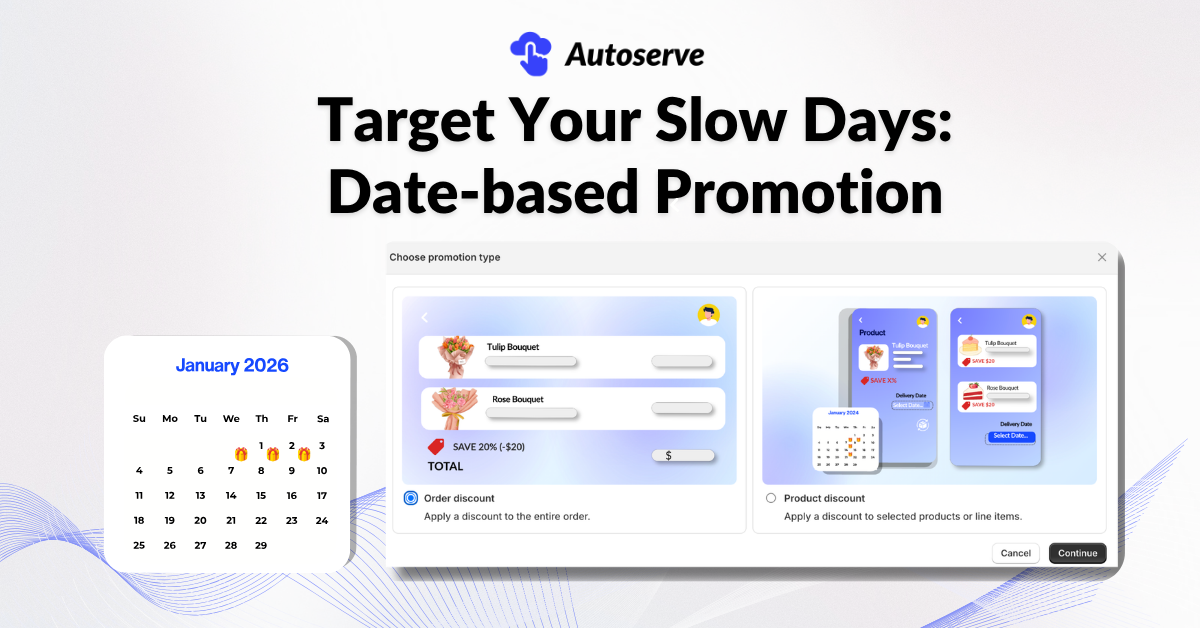
Our latest update (v1.1.7) isn't just about adding new buttons to your dashboard. It is about giving you the tools to balance your schedule. Here is how you can use it right now, you make it easy for customers to finish their orders without any stress.
You can now create incentives that only trigger when a customer selects a specific "slow" date (like Wednesday) for their delivery or pickup.
A promotion is useless if the customer doesn't see it until they've already decided not to buy.
For Shopify Plus users, we’ve introduced Redirect-to-Checkout support. When a customer claims a promotion, they can be sent directly to the checkout page. By removing two or three clicks from the journey, you drastically reduce the "drop-off" rate that plagues mobile shoppers.
Promotions "pull" demand to slow days. Surcharges (for Pro users and above) "push" demand away from busy times.To get started, open the Surcharge settings. Check for your "Premium" dates. These are often Saturdays, Sundays, or special holidays like Valentine’s Day.

A promotion feature is only as useful as its ease of use. We’ve rebuilt the backend to ensure that setting up a complex promotion feels like a walk in the park.
The fear of "too many settings" is real. We’ve redesigned the configuration flow to be intuitive. You aren't buried in options; you are guided through a logical path.
There is nothing worse than a "Wednesday Promo" ending at 9:00 PM because of a time zone glitch, or a promotion continuing long after you've run out of stock. We have improved the handling of promotion end dates and store time zones.
A promotion feature is only as good as the store it runs on. We’ve made updates to help your store feel like a polished, unified brand from beginning to end.
%20(2).png)
"Isn't this too much for my customers to see?"
You might fear that surcharges, discounts, and "product extensions" will clutter your store. The reality is the opposite: Customers crave clarity. When a customer sees a surcharge for Saturday but a discount for Wednesday, they feel in control. They are choosing between convenience (Saturday) and value (Wednesday). By providing these options clearly, you aren't cluttering the store; you are providing a better service.
"I don't have time to manage 50 different rules."
Our framework is built on Modular Simplicity. You don't have to use every feature today.
You shouldn't be a slave to your Shopify dashboard. By using these tools, you take control of your fulfillment calendar. You reward your customers for helping you run a more efficient business, and in return, you get a smoother, more profitable store.
Are you ready to optimize your order management? Review your Promotion and Surcharge settings in CX Elevate today.
We try to make easy and simple for every professionals. Get 30 days free trial - No credit card required.

