🎉 CX Elevate: Date Time Picker is available now on Shopify app store

Shopify app store


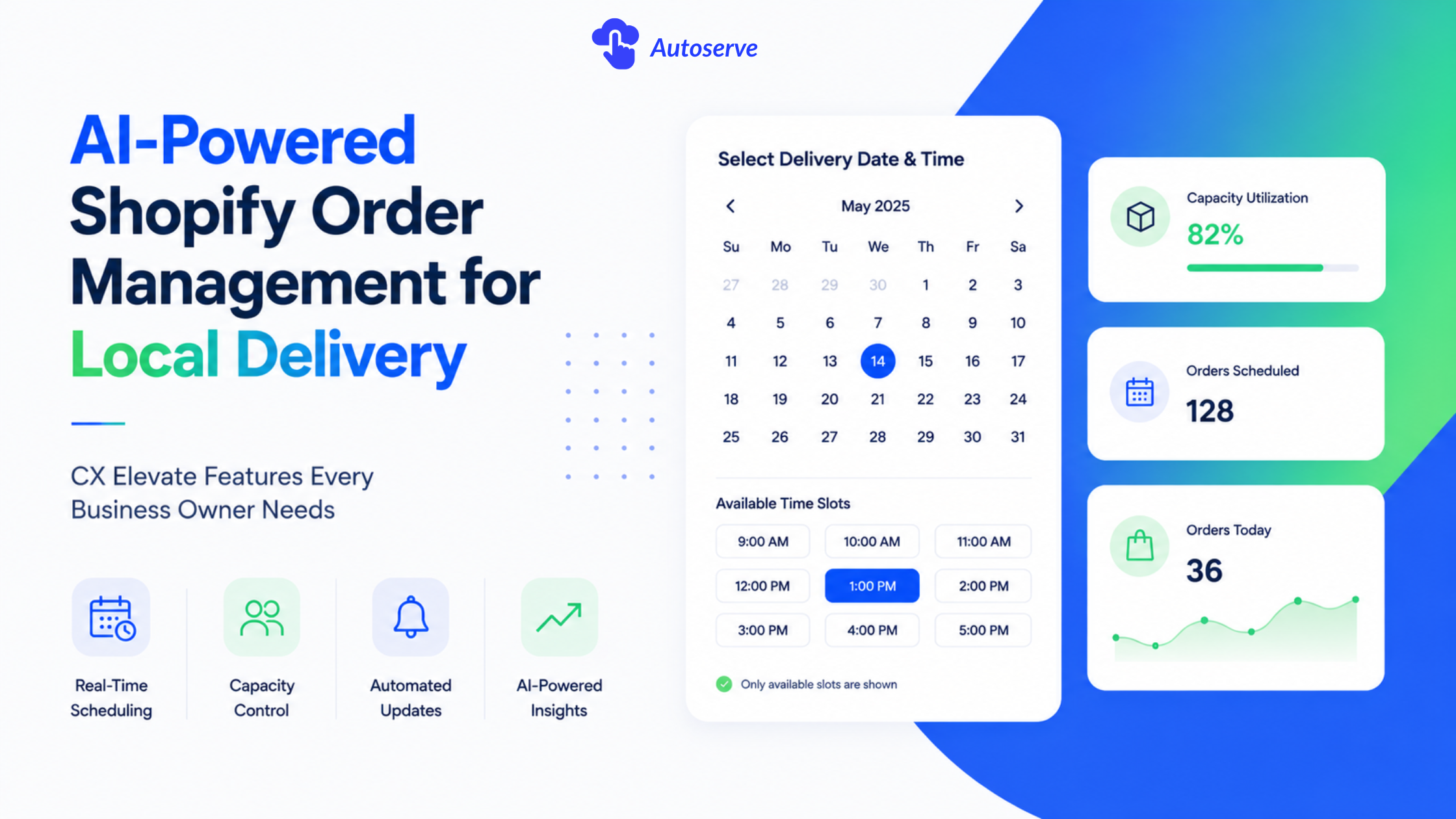
It’s Valentine’s Day. Orders are flooding in. Your driver is 30 minutes behind. Two customers are calling about wrong delivery slots. And you’re still updating a spreadsheet.
This isn’t an edge case it’s a recurring reality for Shopify merchants running local flower shops, bakeries, and furniture stores. Shopify’s default admin was built for global e-commerce, not time-sensitive local delivery. The result is missed slots, overbooking, and hours of manual admin every week.
CX Elevate: Date Time Picker is a purpose-built scheduling layer for Shopify that adds real-time capacity controls, a smart calendar dashboard, and AI-powered inventory insight all without leaving your Shopify admin. This article explains how it works, who it’s built for, and how to get the most out of it.
A local delivery dashboard is a centralized interface that manages pickup and delivery orders in real time. It shows available time slots, daily capacity, and order status giving your team a single source of truth instead of a mix of spreadsheets and phone calls.
CX Elevate adds this layer directly into Shopify. Customers see accurate availability at checkout and select a delivery window. On the backend, capacity limits and cutoff rules enforce your operational constraints automatically, and a smart calendar gives your team a complete daily view by date.
When a customer places a late-night order for next-day delivery, CX Elevate checks your configured cutoff rules and either confirms the slot or moves the order to the next available date no manual review required. Automated notifications go out at each stage: order confirmed, out for delivery, delivered. Merchants typically see a significant reduction in inbound delivery-related queries within the first month.
Shopify’s built-in order admin has no native concept of per-date capacity limits, same-day delivery windows, or perishable goods lead times. Most merchants compensate with custom tags and spreadsheets a process that costs small businesses 6+ hours per week in manual work, according to Shopify’s operational efficiency research.
Manual scheduling also creates compounding errors. A double-booked delivery slot or missed cutoff doesn’t just waste time, it erodes customer trust. For businesses handling time-sensitive or perishable orders, automated scheduling controls are an operational necessity, not a premium feature.
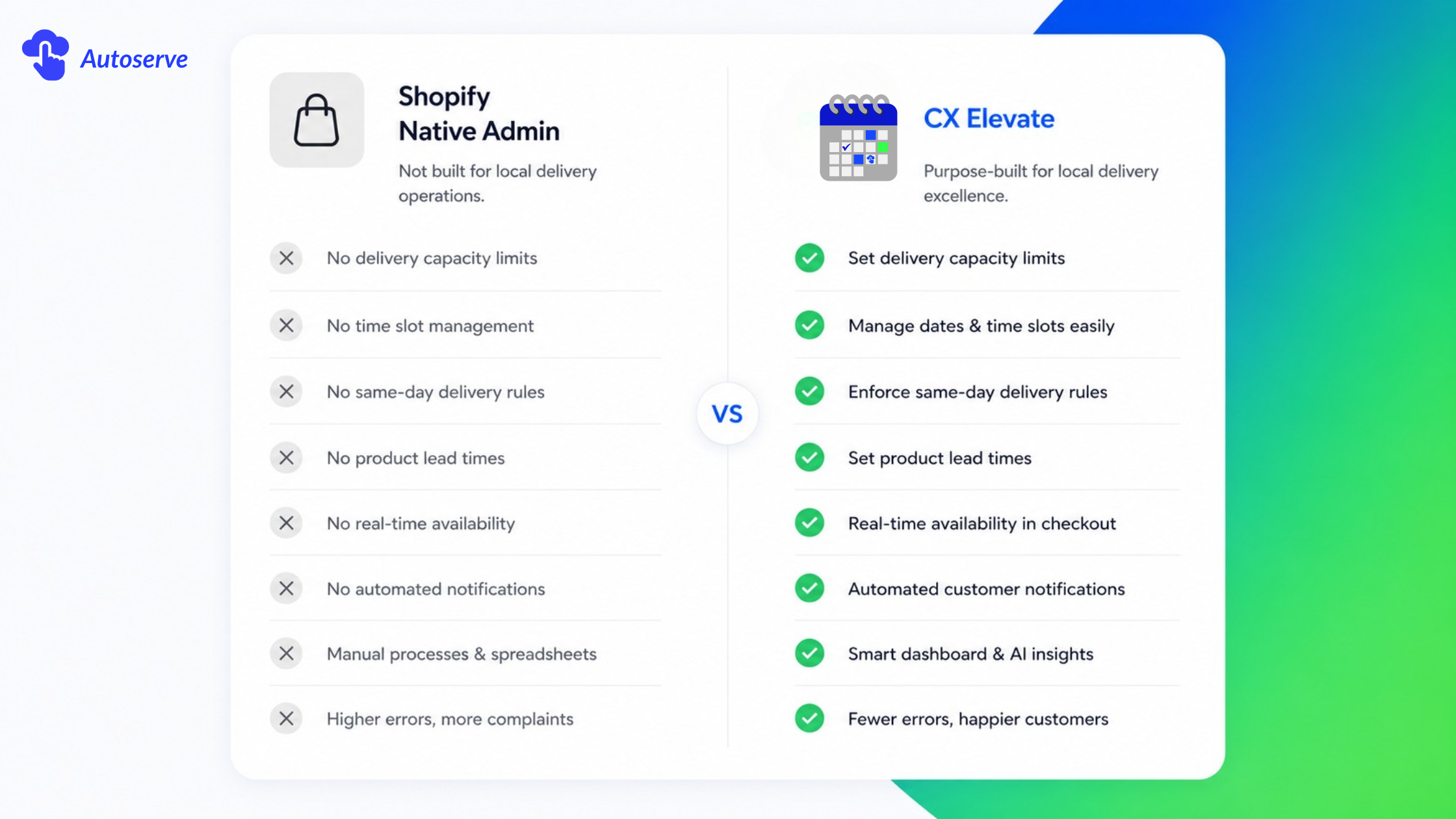
CX Elevate handles three components that Shopify doesn’t provide natively: a checkout date/time picker, backend capacity controls, and a management calendar. Most merchants complete the initial setup in under 30 minutes. Zone-based delivery rules and per-product lead times take an additional hour to configure.
Capacity limits set a maximum number of orders per delivery date or time slot. A florist handling 25 deliveries per day sets that as their daily limit once reached, the date closes automatically at checkout. No overselling, no cancellation calls.
Cutoff times work alongside capacity: a 2:00 PM cutoff means no same-day orders placed after that time. The system automatically presents the next available slot, so customers never hit a dead end at checkout.
The practical result is that peak seasons like as Valentine’s Day, Mother’s Day, holiday rushes stay within your team’s operational capacity without manual monitoring.
Build your scheduling rules around four elements:
• Delivery days: Which days of the week you offer delivery or pickup
• Time slots: Morning, afternoon, or evening windows with individual capacity per slot
• Lead times: Minimum notice required for your product type (e.g., 72 hours for custom-made items)
• Blackout dates: Closed days that block automatically at checkout, toggled instantly from the dashboard
Configured together, these rules let your scheduling system run without daily manual input.
Florists, bakeries, and furniture retailers see the strongest operational gains from a smart delivery dashboard. Each faces a scheduling challenge that Shopify’s default admin can’t solve.
Florists: managing perishability and seasonal demand
Cut flowers last 3–7 days under typical conditions. Florists need lead time rules that prevent orders placed too far in advance (freshness risk) or too close to delivery (preparation gap). CX Elevate enforces these windows automatically customers only see valid delivery dates based on your configured rules.
AI Inventory Insight shows available stock per delivery day, so you know whether you have enough inventory for next Saturday’s orders without a manual stockroom check. During peak seasons, capacity limits close sold-out dates before overbooking can occur.
Bakeries: protecting kitchen capacity on custom orders
Custom cakes and specialty pastries are time-intensive to produce. CX Elevate lets bakeries set per-product capacity independently, for example, three wedding cakes and ten birthday cakes per day, tracked separately so selling out of one type doesn’t affect availability for the other.
Lead time rules enforce minimum notice periods. A five-day requirement for custom orders creates a predictable production schedule and prevents the quality issues that come from rushed fulfillment.
Furniture and bulky-goods retailers: zone-based scheduling
Bulky deliveries require larger vehicles and longer windows. CX Elevate’s zone configuration assigns different time slots and capacity limits by geographic area closer zones can accommodate more daily slots than distant ones. Customers see only the availability relevant to their location. Pro plan surcharge rules add delivery fees automatically for longer-distance zones, protecting margin on outlying orders.
ROI comes from two directions: admin time recovered and revenue protected through fewer errors. Shopify merchant data indicates that businesses using dedicated scheduling tools reduce order-related support queries by up to 40% and cut manual scheduling work by 5–8 hours per week.
For teams of 1–5 people, the highest-impact automations are: slot assignment (eliminating 2–3 hours of manual scheduling per day for businesses handling 30–50 orders), customer notifications (merchants report up to a 60% reduction in delivery-related support inquiries), and AI Inventory Insight, which replaces a daily manual stock check with a single dashboard view.
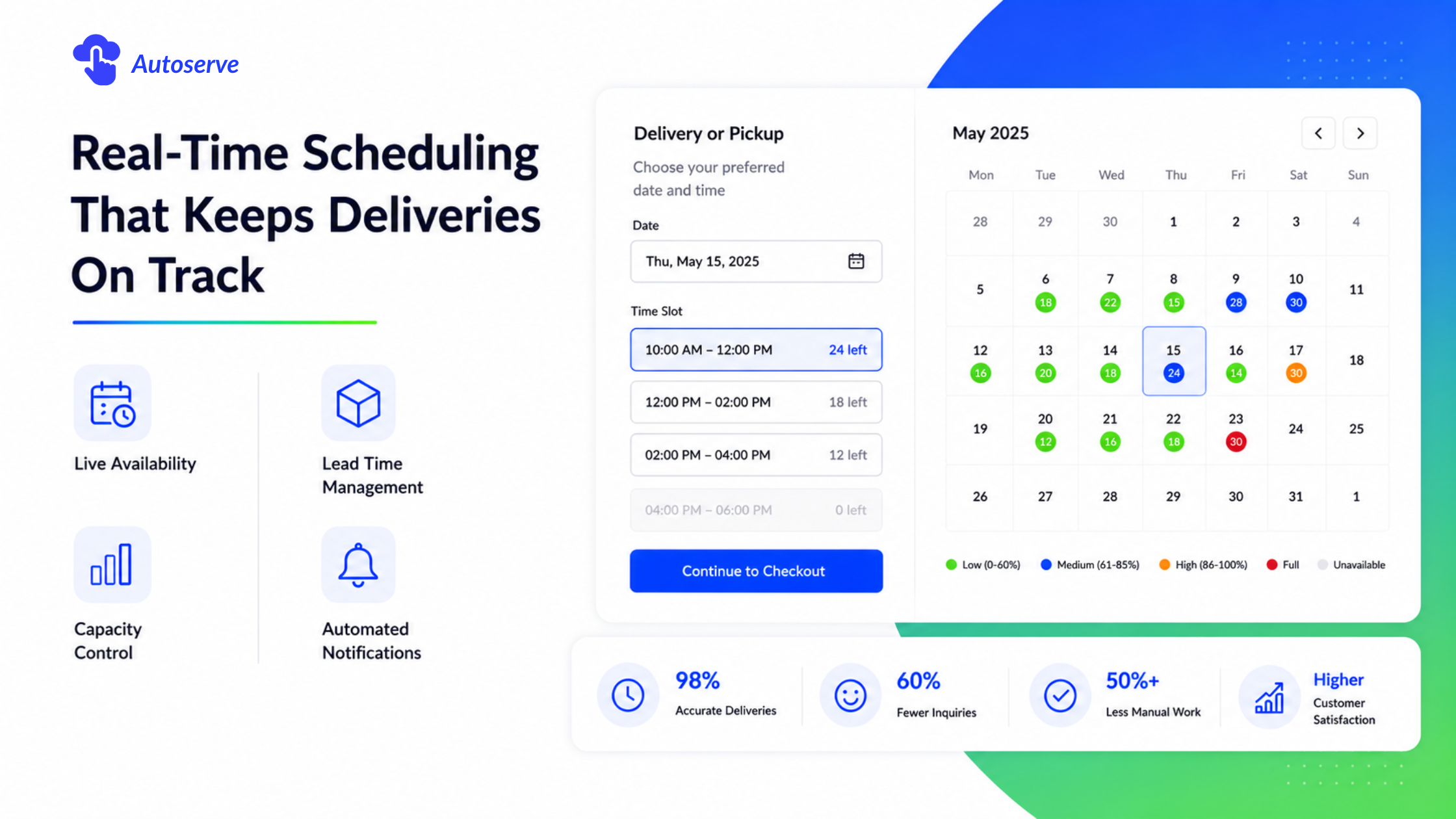
Order error rate typically drops below 0.5% within 30 days of enabling capacity limits. Research on Shopify delivery apps shows that adding a date/time picker at checkout improves order completion rates by 8–15% for local delivery products, because customers can confirm their delivery window before completing a purchase.
The most common alternatives merchants evaluate are Zapiet, which focuses on checkout scheduling and store pickup.
Zapiet’s checkout date picker is well-regarded for its flexibility and customization options, but it doesn’t include a backend inventory intelligence layer or dynamic surcharge rules.
CX Elevate covers the merchant-side workflow: scheduling configuration, capacity enforcement, inventory visibility by date, and customer notifications.
Every overbooking crisis, every manual spreadsheet update, every frustrated customer call these aren't isolated incidents. They're the predictable outcome of using a tool that wasn't built for local delivery.
The right Shopify order dashboard for local delivery business gives you smart scheduling, AI-powered inventory intelligence, and the automation your team needs to handle any demand level without chaos. CX Elevate delivers all three and thousands of local merchants are already running their operations with it. The ones still on spreadsheets are falling further behind every peak season.
Yes. CX Elevate’s smart calendar displays pickup and delivery orders simultaneously with separate filters, giving you a complete daily workload view from a single screen.
Yes. CX Elevate manages scheduling, capacity, and customer notifications regardless of who fulfills the order owner, part-time staff, or third-party couriers.
A Shopify shipping zone sets carrier rates for standard e-commerce. A CX Elevate delivery zone defines local delivery areas with separate time slots, capacity limits, and pricing rules. The two systems operate independently.
Yes. AI Inventory Insight is a CX Elevate Pro upgrade available on any Shopify plan, including Basic.
From the CX Elevate dashboard, manually reassign the order to a new date and time slot and send the customer an updated notification. Review your capacity limits and driver confirmation workflow to identify the root cause.
We try to make easy and simple for every professionals. Get 30 days free trial - No credit card required.

